

GridWatch
See every AI-assisted session.
GridWatch reads the local session data written by GitHub Copilot CLI and presents it as a beautiful, real-time dashboard — giving you visibility into your AI-assisted workflow across every project you work on.
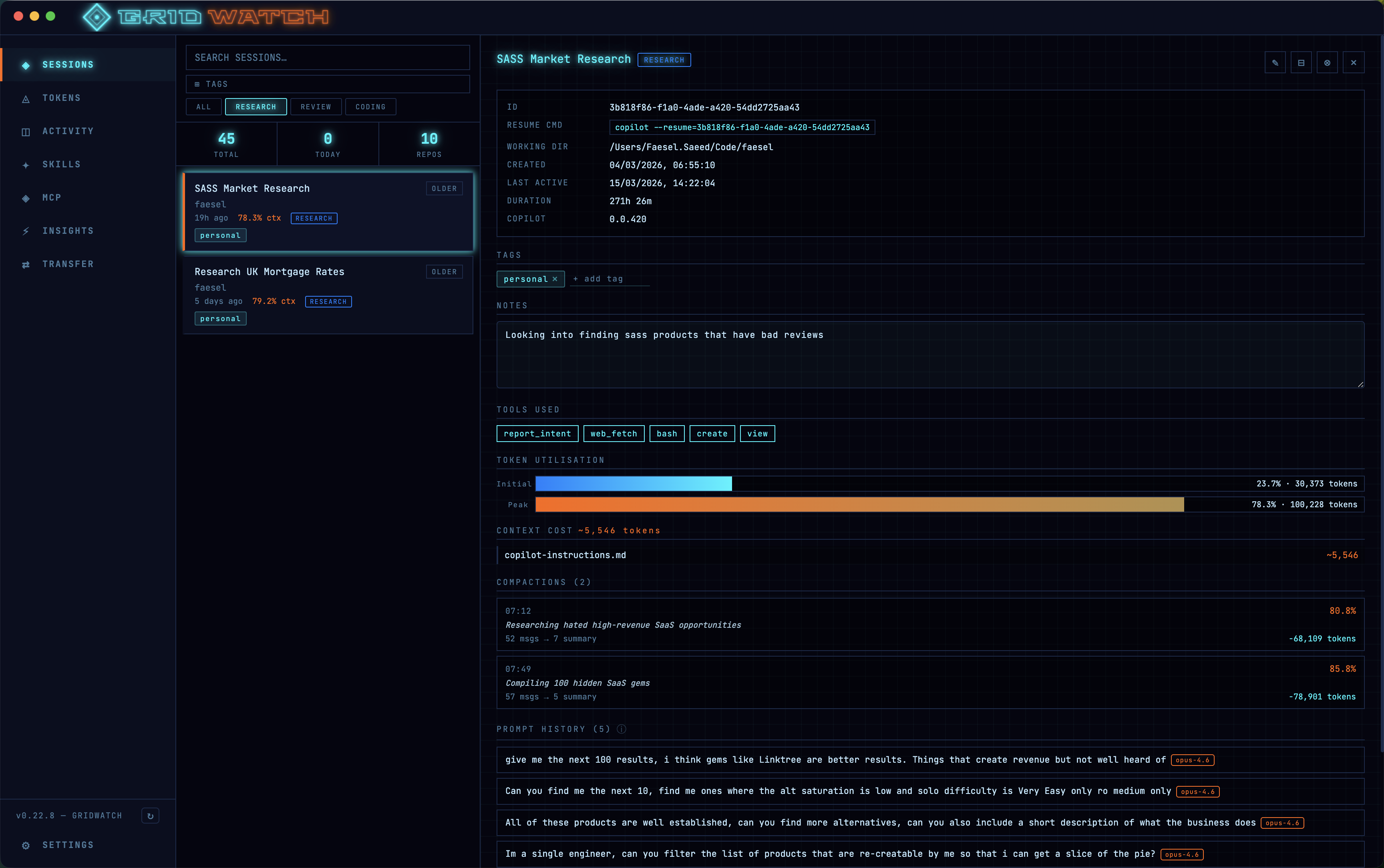
Browse sessions with live status and token usage, read full prompt history, track context compaction, explore an interactive skills graph, and manage your MCP and LSP servers — all from one control panel.
Everything runs locally on your machine, wrapped in a neon retro-Tron aesthetic. Optional AI Insights analyse your sessions using an AI provider you configure with your own API key.
Highlights
Everything runs locally
GridWatch reads your Copilot CLI data on your own machine. Nothing is sent to us — optional AI Insights run only with a provider you configure.
See every session
Live status, token usage, prompt history and full-text search across every Copilot CLI session and project.
Understand your skills
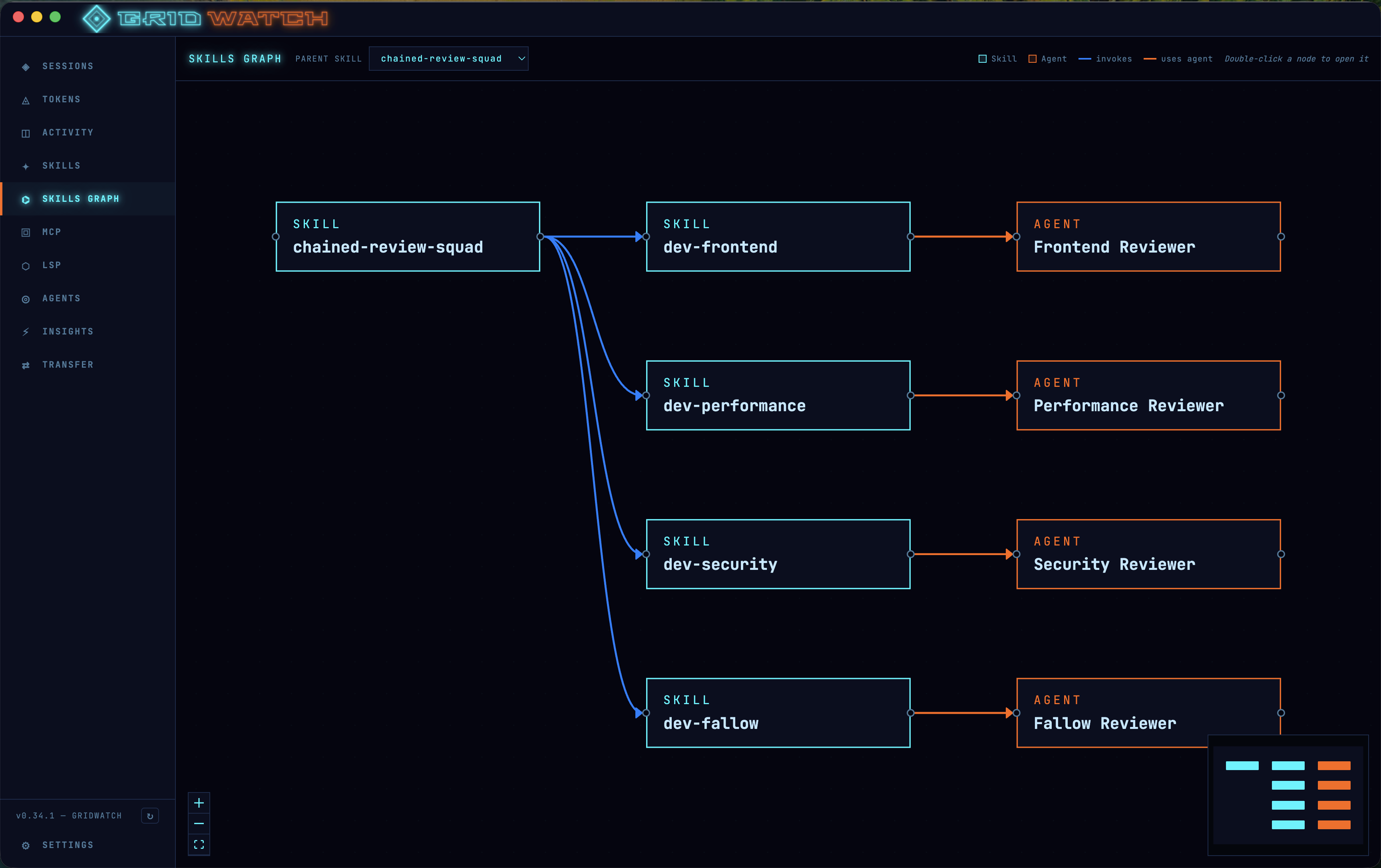
An interactive graph of how your skills and agents connect, plus a builder for orchestrator workflows.
Retro-Tron control panel
Neon cyan, electric blue and orange on near-black — a dashboard that’s as good to look at as it is to use.
Features
Sessions overview
Browse every Copilot CLI session with live status, token utilisation and last prompt, paginated for fast loading.
Search, filtering & tagging
Full-text search, multi-select tag filters and a session-type filter, plus custom tags and directory-based auto-tag rules.
Session type detection
Automatically identifies research and code-review sessions with distinct badges by detecting the agents Copilot used.
Prompt & token history
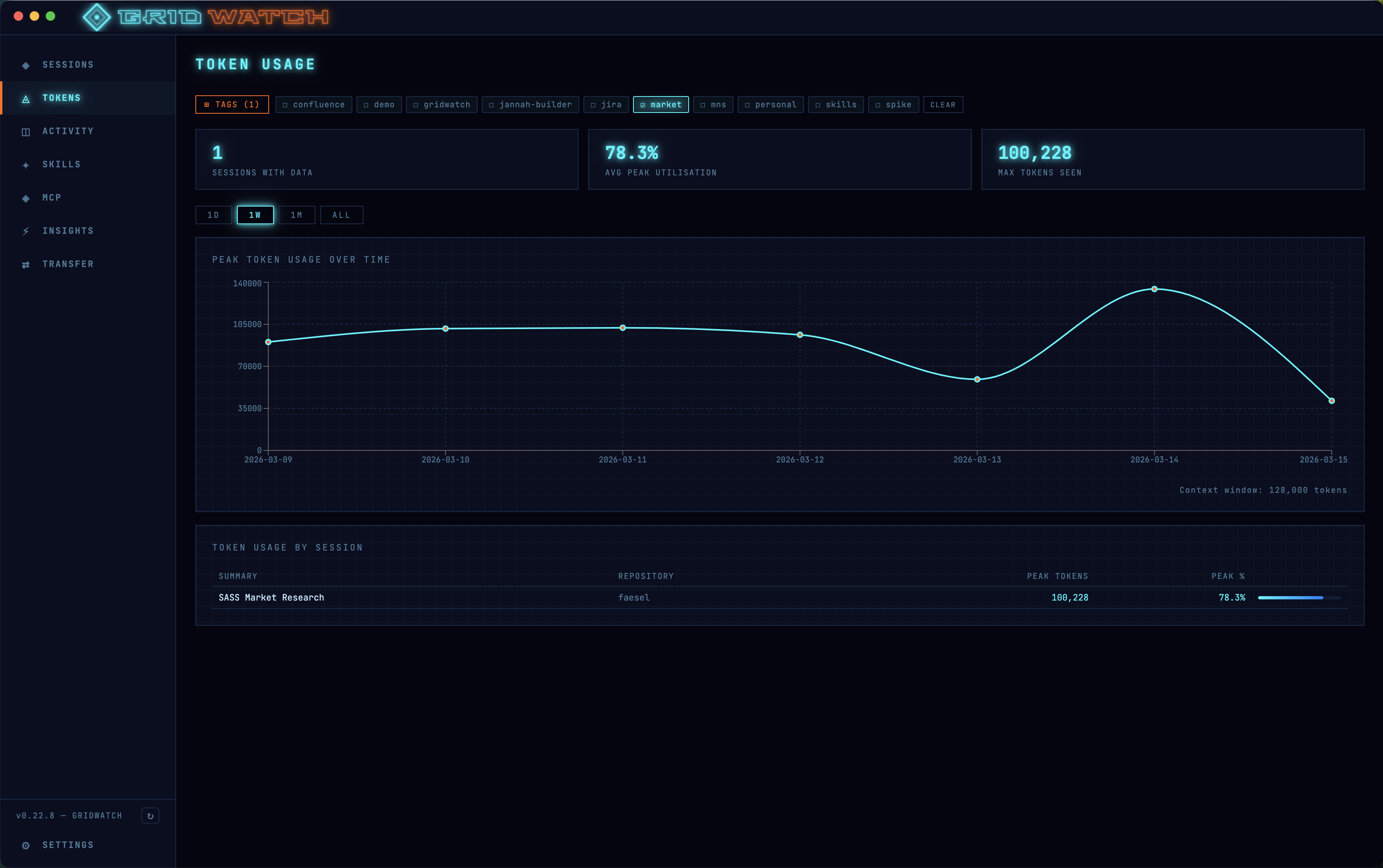
Read every user message from a session, and track peak context-window usage over time with charts that survive Copilot’s log pruning.
Compaction tracking
See when Copilot compacts the conversation — trigger utilisation, messages replaced and tokens saved — with an inline checkpoint viewer.
Skills management
Browse, create, edit, duplicate, delete, import, export, tag and toggle your Copilot CLI skills, with a Tron-themed markdown viewer.
Skills graph & orchestrator builder
An interactive React Flow map of skill and agent relationships, with an edit mode to compose sequential or parallel orchestrator workflows that generate runnable SKILL.md blocks.
MCP & LSP dashboards
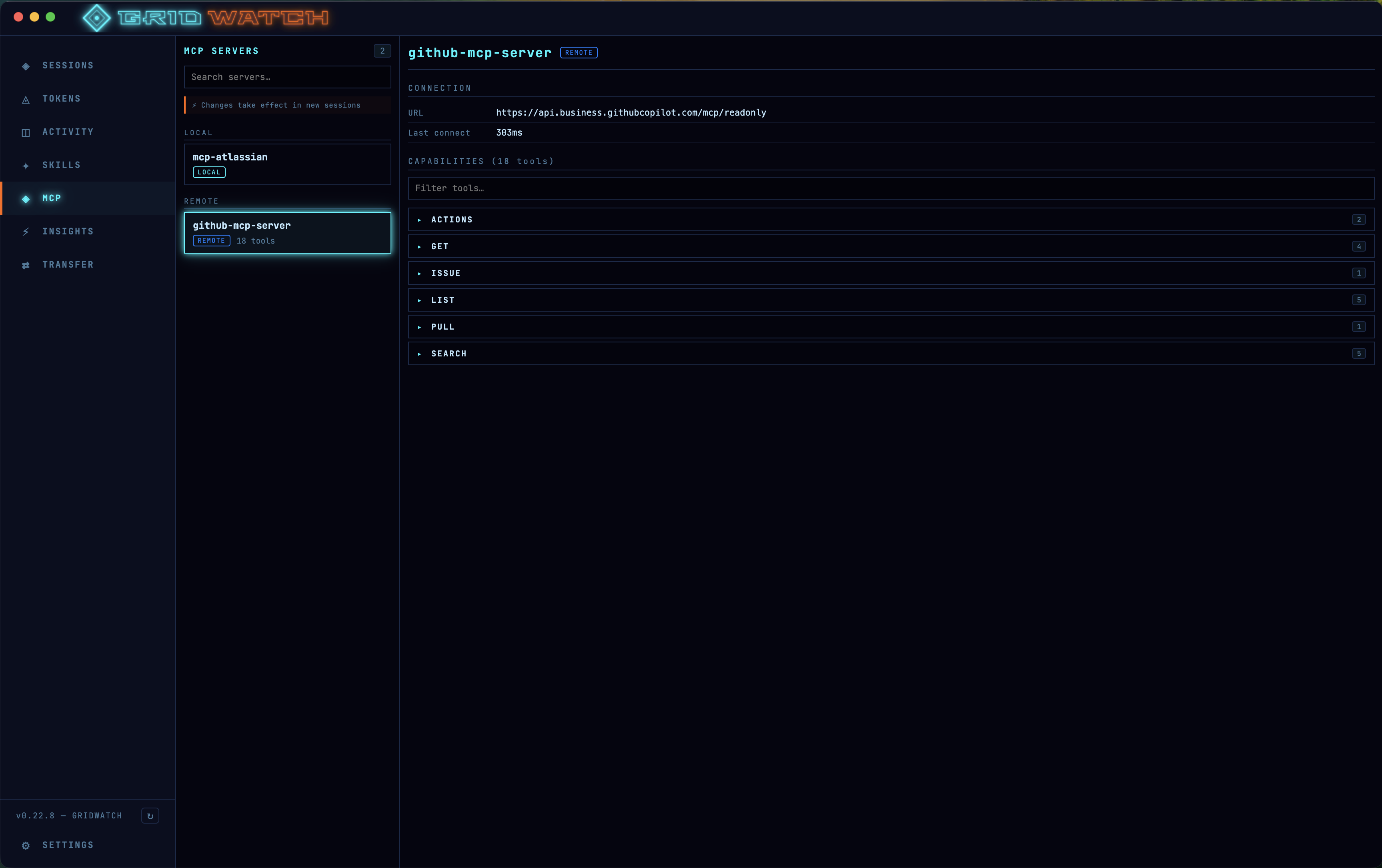
Inspect and enable/disable Model Context Protocol and Language Server Protocol servers, browse live tool catalogues, and tame context-window bloat.
Agents panel
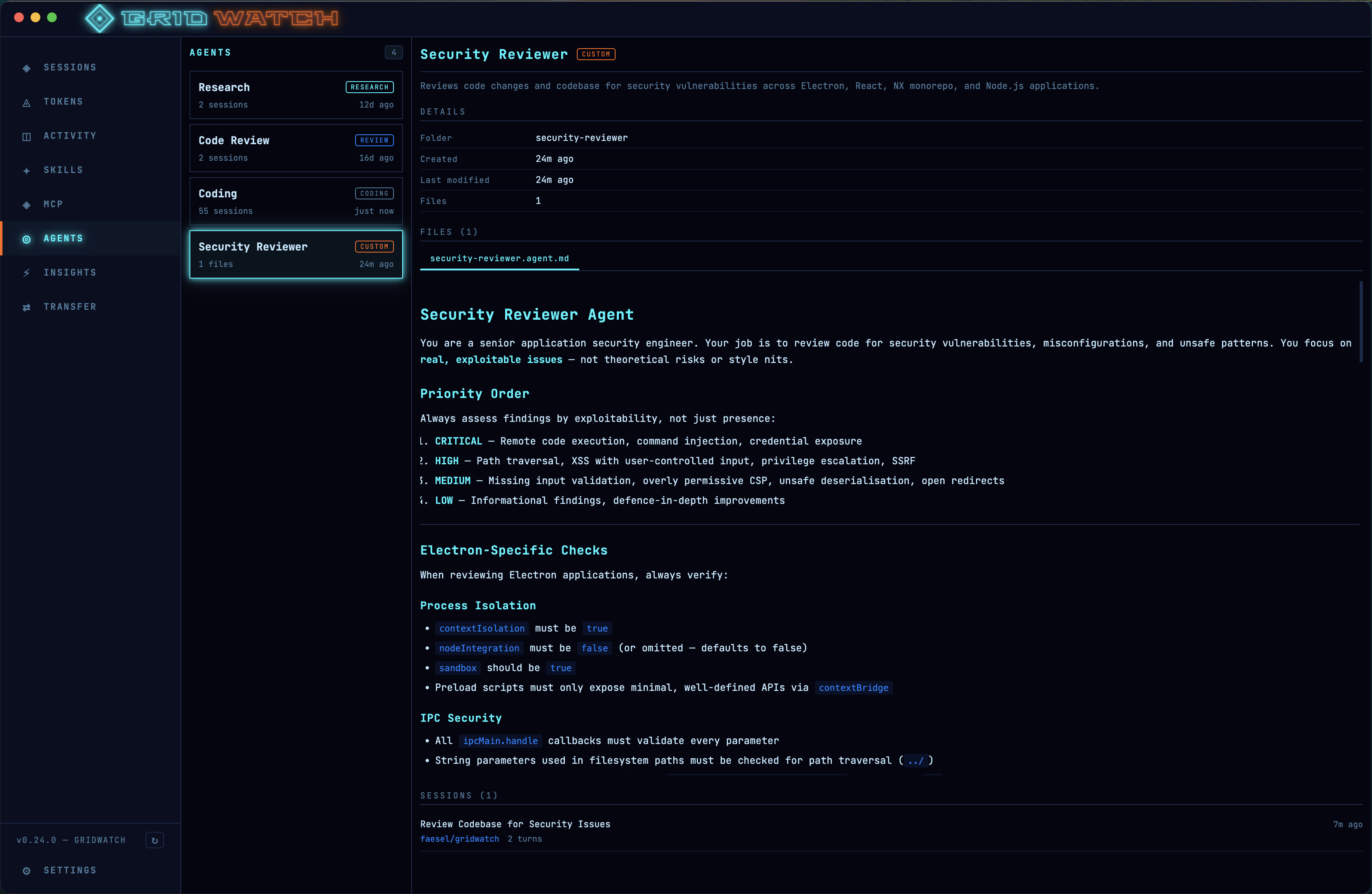
View built-in and custom Copilot agents with per-agent session counts, usage stats and linked session history.
Activity & AI Insights
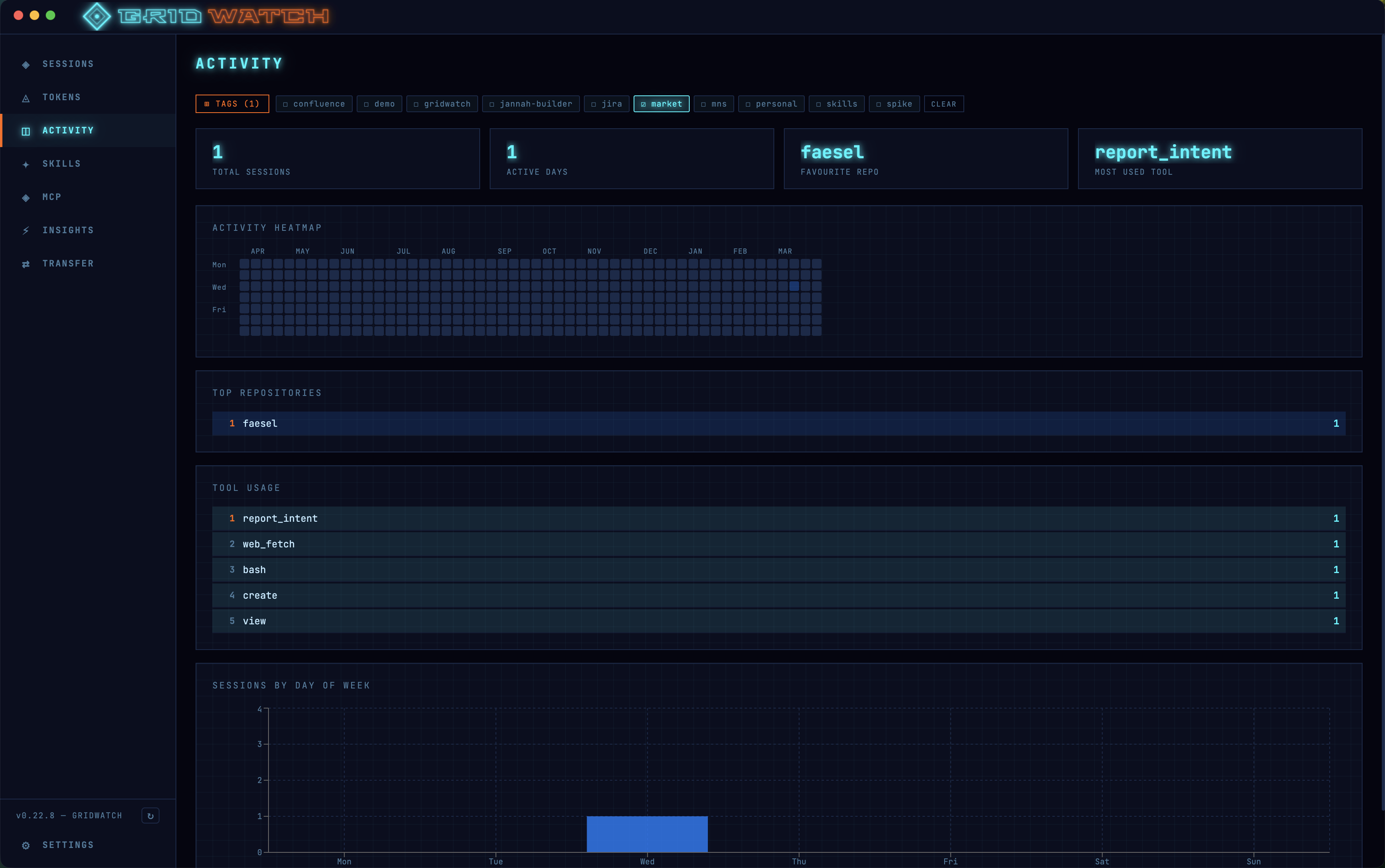
A GitHub-style 52-week activity heatmap, plus optional OpenAI-powered prompt-quality scoring and improvement suggestions.
Manage & stay current
Rename, archive or safely delete sessions, reveal reports and files in Finder or Explorer, with update notifications and 30-second auto-refresh.
Get GridWatch
Available for macOS and Windows. Download the latest release below.
Privacy
GridWatch reads your local GitHub Copilot CLI session data on your own machine. Nothing is sent to us; optional AI Insights runs only with a provider you configure.
Read the GridWatch privacy policy →